
The N95 SDK is out get your hands on it now. The FP1 contains the S60 device emulator, API implementations, documentation, and sample applications as previous SDK's.
Showing posts with label device emulator. Show all posts
Showing posts with label device emulator. Show all posts
Saturday, October 14, 2006
S60 3rd Edition FP1 - Symbian OS 9.2 SDK now Available

Friday, September 08, 2006
Running EXE file on the S60 2nd Edition

Use this code for the 2nd edition. Note that the first half of the if statement is just so that the code works on the emulator. This is because the emulator uses a Dynamic Link Library (DLL), therefore we need to employ library functions. However the overall outcome is the same.
TRequestStatus start;
TServerStart starter(start);
#ifdef __WINS__ // On the Windows emulator the process is a DLL
RLibrary lib;
lib.Load(KBinaryName, BinaryUid);
TLibraryFunction export1 = lib.Lookup(1);
TThreadFunction threadFunction = reinterpret_cast(export1());
TName name(KBinaryName);
// Randomness ensures a unique thread name
name.AppendNum(Math::Random(), EHex);
// Now create the server thread
const TInt KMinHeapSize=0x1000;
const TInt KMaxHeapSize=0x1000000;
RThread thread;
thread.Create(name, threadFunction, KDefaultStackSize,
&starter, &lib, NULL,KMinHeapSize, KMaxHeapSize, EOwnerProcess);
lib.Close();
#else // Phone hardware
RProcess process;
process.Create(KBinaryName,starter.AsCommand(), BinaryUid);
#endif
Wednesday, July 12, 2006
Free J2ME emulator that runs in a webpage

Do you program Java ME (formerly J2ME)? If so, you might like to know about a free J2ME emulator that you can embed into your web pages.
To use mPowerPlayer start with the URL…
http://webstart.mpowerplayer.com/
All you need to do is append your URL and .jnlpto and that’s it!
For example,
http://ota.mpowers.net/piranha/pna-us.jadbecomes
http://webstart.mpowerplayer.com/ota.mpowers.net/piranha/pna-us.jad.jnlp
Monday, July 10, 2006
New emulation features update Sony Ericsson SDK 2.2.4 for the Java ME Platform
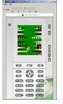
The latest Sony Ericsson SDK 2.2.4 for the Java™ ME Platform introduces platformized emulation and platformized on-device debugging for Sony Ericsson's new Java Platform 7 (JP-7) mobile phones.
As a developer, rather than concentrating on the many different product names, only two variables need to be considered:
- Phone screen size
- Java Platform
This is realized by selecting the phone Java Platform as opposed to the product name, formatted as SonyEricsson_
Using this approach, JP-7 phones, which currently includes the K610, K800, K790, W850, Z710 and W710, can be tested and debugged using their appropriate screen configurations:
SonyEricsson_JP7_176x220
- K610
- W710
- Z710
SonyEricsson_JP7_240x320
- W850
- K790
- K800
As each new Sony Ericsson Java Platform is announced, the platform will be introduced to the Java ME SDK using the same naming approach.
In additional to platformization, the Java ME SDK 2.2.4 also introduces improved stability for on-device debugging in addition to updated Eclipse plug-ins and all interim phone announcements since the last SDK release.
Download Sony Ericsson SDK 2.2.4 for the Java ME Platform here>>
Subscribe to:
Posts (Atom)

 Posts
Posts


