Showing posts with label development. Show all posts

Friday, September 08, 2006

Running EXE file on the S60 2nd Edition


Use this code for the 2nd edition. Note that the first half of the if statement is just so that the code works on the emulator. This is because the emulator uses a Dynamic Link Library (DLL), therefore we need to employ library functions. However the overall outcome is the same.


TRequestStatus start;
TServerStart starter(start);

#ifdef __WINS__ // On the Windows emulator the process is a DLL
RLibrary lib;
lib.Load(KBinaryName, BinaryUid);
TLibraryFunction export1 = lib.Lookup(1);
TThreadFunction threadFunction = reinterpret_cast (export1());
TName name(KBinaryName);
// Randomness ensures a unique thread name
name.AppendNum(Math::Random(), EHex);

// Now create the server thread
const TInt KMinHeapSize=0x1000;
const TInt KMaxHeapSize=0x1000000;
RThread thread;
thread.Create(name, threadFunction, KDefaultStackSize,
&starter, &lib, NULL,KMinHeapSize, KMaxHeapSize, EOwnerProcess);
lib.Close();
#else // Phone hardware
RProcess process;
process.Create(KBinaryName,starter.AsCommand(), BinaryUid);
#endif


Running EXE file on S60 3rd Edition

This code only works on S60 3rd Edition.
You can use it to invoke an executable from with your application. Make sure you cleanup after yourself and don't leave any rouge applications running in the background.


RProcess server;
server.Create(KServerName, KNullDesC);

CApaCommandLine* commandLine = CApaCommandLine::NewL();
commandLine->SetExecutableNameL(KExecutableName);
commandLine->SetProcessEnvironmentL(server);

RApaLsSession ApaSession;
ApaSession.Connect();
ApaSession.StartApp(*commandLine);
ApaSession.Close();

delete commandLine;

Free Symbian OS booklets


If you are planning on or just new at Symbian development there are 3 essential OS booklets named 'Getting Started', 'Signing Tips' and 'Coding Tips' available for free download or email Symbian editor@symbian.com for a paper copy version.
There is also a Chinese version of the 'Getting Started' booklet available.

Monday, August 28, 2006

Flash Lite 1.1 Tutorial for Sony Ericsson


Chris Petty from Blue Sky North has submitted a Flash Lite 1.1 Tutorial for Sony Ericsson here for all interested in Flash Lite development. It's on the SE developer site. You can download the tutorial with code examples.

SIS Info tool for Symbian 9.1 SIS files

A new python utility to get information from a Symbian 3rd edition SIS file accoding to the new format (.sisx).

Tuesday, August 08, 2006

Nokia E70 RAM usage Table - S60 3rd Edition - Multitasking Considerations


In addition to this list any J2ME application requires Java which will add an additional 6MB plus the applications resourses.


S60 3rd Edition Application Minimum RAM usage
(including helper
processes)
Calendar 0.2MB
Contacts0.3MB
Zip manager0.4MB
Handy Safe
(3rd party secure,
synced database)
0.4MB
Log0.5MB
Clock 0.5MB
Notes 0.6MB
File manager0.9MB
Messaging1.1MB
Magi-Lines
(3rd party strategy puzzle)
1.2MB
Document (Eseries)1.5MB
Camera (on E70)1.5MB
WorldMate
(3rd party time
/weather/
currency tool)
1.8MB
Music Player1.9MB
Sheet (Eseries)1.9MB
Gallery2.0MB
Everything below is probably on the 'Exit after using it' list!
RealPlayer2.3MB
Flash Player2.3MB
Mobipocket Reader
(3rd party ebook reader)
2.6MB
Camera (on N93)3.5MB
Services3.8MB
Wayfinder
(3rd party
sat-nav solution)
5.5MB
Opera Mini
(3rd party
Java-based browser)
7.7MB
Web7.5MB to 10MB,
depending on
the pages being
viewed
Navicore
(3rd party
sat-nav solution)
9.5MB

Tuesday, August 01, 2006

Mobile Phone Money


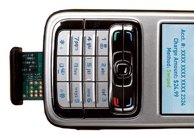
Near Field Communication (NFC) is a wireless standard which will enable cell phone waving payments at cash registers everywhere.

Unlike radio-frequency identification (RFID) and other existing contactless payment systems, NFC chips allow two-way information exchange by rolling an RF transmitter and reader into one five-millimeter package. That means the chip can also take in data, such as a receipt zapped to it by a cash register or a bus schedule from a tag embedded in a bus-stop sign.

The technology is expected to start hitting stores next spring both embedded in cell phones as well as in miniSD-card-size adapters from SanDisk which will be able to add NFC to any smartphone with a Symbian operating system.

Full details at Popular Science.

Monday, July 17, 2006

UrlEncoder for J2ME

A poor mans UrlEncoder for MIDP(J2ME) which can easily be extended by adding
more items to switch statement in the urlEncode method.

/*
* (C) Serkan Azmi. 2001
* All rights reserved
* The material(s) may be used and/or copied only with the written permission
* of Serkan Azmi. or in accordance with the terms and
* conditions stipulated in any agreement/contract under which
* the material(s) have been supplied.
*/


public class UrlParamEncoder {

String szUrlParam = null;

public UrlParamEncoder() {
}

private void prepAdd() {
if (szUrlParam == null) {
szUrlParam = new String();
}
else {
szUrlParam += "&";
}
}

public void addParam(String szName, String szValue) {
prepAdd();
szUrlParam += urlEncode(szName) + "=" + urlEncode(szValue);
}

public void addParam(String szName, int nValue) {
prepAdd();
szUrlParam += urlEncode(szName) + "=" + urlEncode(Integer.toString(nValue));
}

public void addParam(String szName, long lValue) {
prepAdd();
szUrlParam += urlEncode(szName) + "=" + urlEncode(Long.toString(lValue));
}

public void addParam(String szName, boolean bValue) {
prepAdd();
Boolean boolValue = new Boolean(bValue);
szUrlParam += urlEncode(szName) + "=" + urlEncode(boolValue.toString());
}

private String urlEncode(String s) {
StringBuffer sb = new StringBuffer();

for (int i = 0; i <>
switch (s.charAt(i)) {
case ' ':
sb.append("%20");
break;
case '+':
sb.append("%2b");
break;
case '\'':
sb.append("%27");
break;
case '<':
sb.append("%3c");
break;
case '>':
sb.append("%3e");
break;
case '#':
sb.append("%23");
break;
case '%':
sb.append("%25");
break;
case '{':
sb.append("%7b");
break;
case '}':
sb.append("%7d");
break;
case '\\':
sb.append("%5c");
break;
case '^':
sb.append("%5e");
break;
case '~':
sb.append("%73");
break;
case '[':
sb.append("%5b");
break;
case ']':
sb.append("%5d");
break;
default:
sb.append(s.charAt(i));
break;
}
}
return sb.toString();
}

public String toString() {
return szUrlParam;
}

}

Sunday, July 16, 2006

Most Important 12 Sony Ericsson UIQ 3 development tips

When developing UIQ 3 C++ applications for Sony Ericsson UIQ 3 phones, the following should be considered:

  • Always favor CQikXXX classes over CEikXXX classes. Derive your AppUi from CQikAppUi (Qikon) rather than CEikAppUi .
  • Ensure that your application is “theme aware”. Use logical colors to draw application controls and propagate color scheme change messages through your application.
  • Make sure that application icons in three different sizes are defined for display on the device.
  • Prefer the Symbian exception handling before the standard C++ language exception handling.
  • Do not block a ViewActivatedL - any potentially long running action chained off a view activation should be done async. Otherwise the system may kill your application for being too sluggish.
  • Be conservative in stack usage, including the implementation of recursive algorithms.
  • Follow the UIQ 3 style guidelines.
  • Have some way to call Exit from your application in debug builds. In the emulator, this will cause a panic if there is any memory leakage. It’s much better to find memory leaks during development in the emulator, than at the end of development, when testing in the phone is done.
  • Do not run timers continuously in the background because it seriously affects battery life.
  • Make your code device independent when possible. Do not “hard code” screen sizes, colour depths, font sizes, and so on, instead use Symbian OS APIs to get details of device characteristics and capa-bilities so that your application will run on the widest possible ranges of devices including any future Symbian/UIQ based Sony Ericsson phones.
  • Avoid using local TBuf objects. They consume valuable stack space, which is extremely limited on a symbian device, and behave very differently compared to in the emulator. If you need more than a few hundred bytes allocated to a TBuf , then use a HBuf which is allocated on the Heap instead. Always remember to destroy the HBuf after it is finished with. The reasons for stack exhaustion are almost impossible to trace on the real target, they appear as random, unexplained crashes.
  • Since applications can be installed either in phone memory or on Memory Stick, avoid using absolute paths for file locations in your code.

Sunday, July 09, 2006

Symbian offers free university support to train future mobile software developers


Symbian have announced Symbian Academy, a program to provide free support to universities teaching knowledge and skills associated with developing software for Symbian OS. Symbian Academy is designed to make it easy for universities to create courses that teach Symbian software development and to integrate a Symbian component into existing computer science courses. University lecturers affiliated with Symbian Academy will receive free course materials, training, technical support, development literature, expert Symbian lecturers and exposure to Symbian’s industry partners.
( http://www.symbian.com/news/pr/2006/pr20068005.html)