Showing posts with label S60 3rd Edition. Show all posts

Saturday, October 14, 2006

Python for S60 1.3.11 released

New Features of Python S60 1.3.11 include

  • Full source-code release and open source licensing
  • Inbox module for listening to and parsing incoming SMS messages
  • Expanded audio API
  • Focus-event notification
  • New Active Object timer service
  • Support for SVG images (S60 3rd Edition only)

S60 3rd Edition FP1 - Symbian OS 9.2 SDK now Available


The N95 SDK is out get your hands on it now. The FP1 contains the S60 device emulator, API implementations, documentation, and sample applications as previous SDK's.

Monday, October 02, 2006

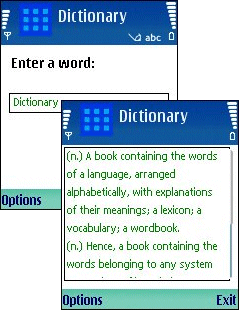
Freeware English Dictionary for S60 3rd Edition


Updated version of Dictionary now available for free and works on Symbian S60 (Series 60) 3rd edition.
Features and specifications:
Websters English Dictionary.
Built-in indexes find words in a fraction of a second.
Includes parts of speech (noun, verb etc).
Uses 6Mb disk space for the program and data.
Installs to main memory or memory card (Memory card recommended)

Note:
On E Series phones, if you get the message, "Invalid certificate, cannot install", change the setting in App. Manager from "signed only" to "all software"

Friday, September 29, 2006

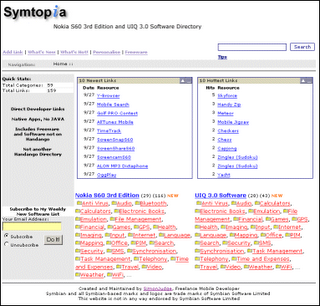
New S60 and UIQ Application Site


Symtopia.com is a new site that from Simon Judge which lists S60 3rd Edition and UIQ 3.0 (Symbian 9.1) applications. All applications are native C++ with no Java listings.
If you are a developer you can have your application listed on the website with an easy one click Add Link button located on the site.
There are a whole lot of freeware applications all searchable by category.

In Simon's words these are the main reasons he put up Symtopia:

Here are my general impressions having visited the various developer web sites, forums and existing (mainly Handango-based) directories…

The 80/20 principle seems to apply. There are a few developers producing large numbers of titles. Prior to Symbian 9.1 there were many more developers each producing fewer titles. Maybe the developers producing the large number of titles were those who previously made a good profit pre- Symbian 9.1.

There is approximately three times as many S60 applications as UIQ applications. This might be explained by the fact that UIQ 3.0 devices and SDKs trailed S60 by about a month. However, I still can’t envisage the number of UIQ 3.0 reaching the same as S60 (now) in a months time.

There’s evidence of developers stalling during development (e.g. FExplorer, Papyrus, Blackballer) due to complexities of platform security.

There are some instances of end-users automatically assuming older (pre-Symbian 9.1) software will run on Symbian 9.1 devices leading to consumer frustration.

Saturday, September 23, 2006

How to Setup or Host a Web Server on your Nokia Mobile Phone


You can use the web server to retrieve content off the internet for use in your applications. If you are a developer and don't have a server this is a pretty handy solution for you.

Via biskero.org

Friday, September 08, 2006

Running EXE file on S60 3rd Edition

This code only works on S60 3rd Edition.
You can use it to invoke an executable from with your application. Make sure you cleanup after yourself and don't leave any rouge applications running in the background.


RProcess server;
server.Create(KServerName, KNullDesC);

CApaCommandLine* commandLine = CApaCommandLine::NewL();
commandLine->SetExecutableNameL(KExecutableName);
commandLine->SetProcessEnvironmentL(server);

RApaLsSession ApaSession;
ApaSession.Connect();
ApaSession.StartApp(*commandLine);
ApaSession.Close();

delete commandLine;

Sunday, September 03, 2006

Flash Lite and Nokia S60 3rd edition Applications


A new easy way to create Flash Lite applications with hardly having any coding knowledge. Take a look at this article posted on AllAboutSymbian. It explains the proces in detail and shows you how to self-sign a Symbian Nokia S60 3rd edition application in the process. An easy alternative and a must read for Flash Lite Developers.

Monday, August 28, 2006

SIS Info tool for Symbian 9.1 SIS files

A new python utility to get information from a Symbian 3rd edition SIS file accoding to the new format (.sisx).

Tuesday, August 08, 2006

Nokia E70 RAM usage Table - S60 3rd Edition - Multitasking Considerations


In addition to this list any J2ME application requires Java which will add an additional 6MB plus the applications resourses.


S60 3rd Edition Application Minimum RAM usage
(including helper
processes)
Calendar 0.2MB
Contacts0.3MB
Zip manager0.4MB
Handy Safe
(3rd party secure,
synced database)
0.4MB
Log0.5MB
Clock 0.5MB
Notes 0.6MB
File manager0.9MB
Messaging1.1MB
Magi-Lines
(3rd party strategy puzzle)
1.2MB
Document (Eseries)1.5MB
Camera (on E70)1.5MB
WorldMate
(3rd party time
/weather/
currency tool)
1.8MB
Music Player1.9MB
Sheet (Eseries)1.9MB
Gallery2.0MB
Everything below is probably on the 'Exit after using it' list!
RealPlayer2.3MB
Flash Player2.3MB
Mobipocket Reader
(3rd party ebook reader)
2.6MB
Camera (on N93)3.5MB
Services3.8MB
Wayfinder
(3rd party
sat-nav solution)
5.5MB
Opera Mini
(3rd party
Java-based browser)
7.7MB
Web7.5MB to 10MB,
depending on
the pages being
viewed
Navicore
(3rd party
sat-nav solution)
9.5MB

Thursday, July 27, 2006

Signing Error Messages Series 60 (S60) 3rd Edition

If you have been reading discussions at Forum Nokia Developer Discussion Board recently, you may notice there are many questions about signing in S60 3rd Edition. It seems the new security feature in Symbian 9 has led to frustration for some developers.

I would like to share what kind of error messages I have seen when installing signed/unsigned application in S60 3rd Edition phones. There is a hint that explains what may cause a particular message. I may not be able to cover all error messages because I may not have seen all of them.

Read also a nice blog posting from S60 team, Signing applications for S60 3rd Edition.

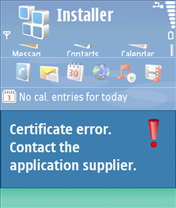
Message: Certificate error. Contact the application supplier.
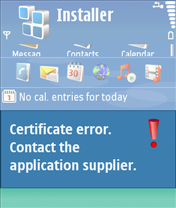

Hint: You may have tried installing unsigned application. Note that signing is mandatory S60 3rd Edition. You can use self-signed certificate or developer certificate from Symbian Signed to sign your application.

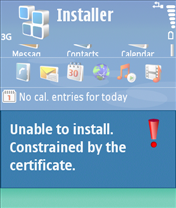
Message: Unable to install. Constrained by the certificate.
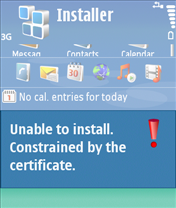

Hint: This message pops up when you attempt to install developer certificate in the unsupported device. The developer certificate from Symbian Signed can only be used in a limited number of devices. Remember that you have to send your IMEIs to Symbian Signed when requesting certificate. You cannot use the certificate in other devices that is not in your IMEIs list.

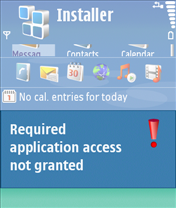
Message: Required application access not granted
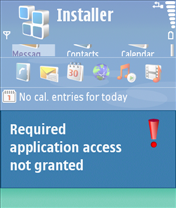

Hint: Check that your certificate can be used to sign all capabilities needed by your application. For example, if you use self-signed certificate, you can only sign basic set capabilities, i.e. NetworkServices, ReadUserData, WriteUserData, LocalServices and UserEnvironment. If your application requires one of the extended capabilities, for example SwEvent, you cannot sign it with self-signed certificate. In this case, apply for developer certificates from Symbian Signed.


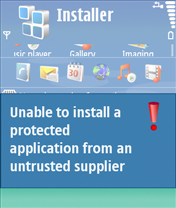
Message: Unable to install a protected application from an untrusted supplier
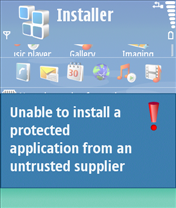

Hint: If you use self-signed certificate, make sure that your application uses unprotected UID, i.e. 0xA0000000 - 0xAFFFFFFF. If you use protected UID (0×20000000 - 0×2FFFFFFF) or legacy UID (0×10000000 - 0×1FFFFFFF), you will get this message.

Message: Unable to install
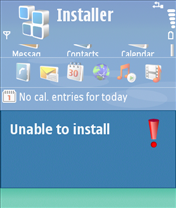


Hint: This message may come up when your installation file (.sis/.sisx) copies files to other application’s private folder, i.e. \private\uid. Note that Symbian 9 introduces data caging concept, it means you don’t have access to other application’s private folder.